
Mobile Navigation
End-to-End
Mobile Design
Data Analysis
User Flows
Information Architecture
CRO
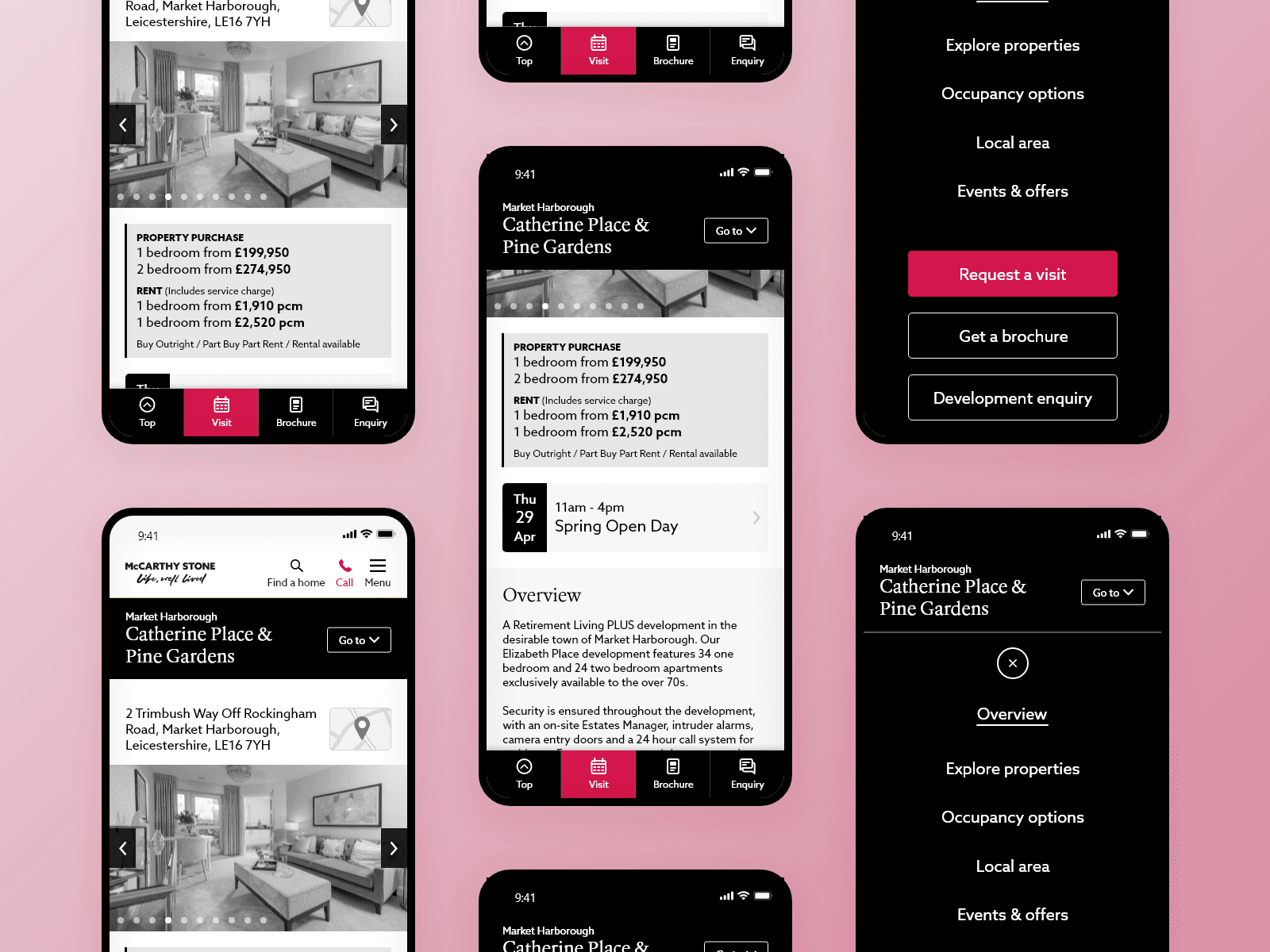
I designed an enhanced mobile sub-navigation to help users find information on long and detailed property pages.
Role
Lead UX/UI Designer
Team
1 UX/UI Designer
2 Developers
1 Project Manager
1 Business Analyst
1 Quality Assurance Tester
Tools
Adobe XD
Google Analytics
Mouseflow
Jira
Confluence
Overview
I led the redesign of the mobile navigation experience for the residential property website. The goal was to reduce cognitive overload on mobile, improve content discoverability, and increase engagement with key user journeys such as searching for developments, exploring locations, and booking viewings.
About McCarthy Stone
McCarthy Stone is the UK’s leading developer and manager of age-exclusive retirement communities, building and operating high-quality homes, apartments and villages designed to support independent later-life living for older people across the country.
Problem
Users were struggling to find the information they were looking for, whether it be about the available properties, ongoing costs or the local area. The existing sub-navigation on mobile devices, a small dropdown above the introduction text, was being missed by users. The CTAs on the page were also getting lost by users causing them to exit the page or website before converting.
As a result only 0.4% of all development page interactions could be attributed to the sub-navigation on mobile.
Objectives & Success Metrics
The redesign aimed to support both exploratory and task-focused users.
Primary goals:
Increase interaction with sub-navigation on mobile
Increase progression to forms (e.g. enquiry, viewing bookings)
Reduce friction when switching between content sections
Discovery
User Flows
I mapped the primary mobile journeys, focusing on:
Browsing developments
Exploring locations
Accessing supporting content (about, buying guides, FAQs)
This helped identify where users were being forced to scroll, backtrack, or abandon tasks due to navigation overload.
Behavioural Data Review
Using existing analytics and scroll-depth data, I identified:
Sections users interacted with most frequently
Pages where users scrolled extensively without engaging
Drop-off points before key CTAs
This highlighted that users were willing to explore but struggled to re-orient themselves quickly once inside content-heavy pages.
Competitive Analysis
I reviewed mobile navigation patterns across:
Property portals
Finance, and banking apps
Content-heavy editorial platforms
Common patterns emerged:
Bottom-anchored navigation for key actions
Progressive disclosure of secondary content
Clear separation between primary tasks and supporting information
Ideation
Information Architecture
I restructured mobile content hierarchy into:
Primary actions (form CTAs)
Secondary/supporting content (development name & location)
Contextual actions to navigate the current page (anchor links)
To improve usability and thumb reach on mobile:
A persistent bottom navigation bar was introduced for key actions
Secondary navigation was moved into a full-screen expandable menu
The menu could be accessed at any time without losing page context
This approach balanced visibility with simplicity, and allowed users to scan & navigate quickly without being overwhelmed while keeping the primary business objectives of the pages in view at all times.
Sketching
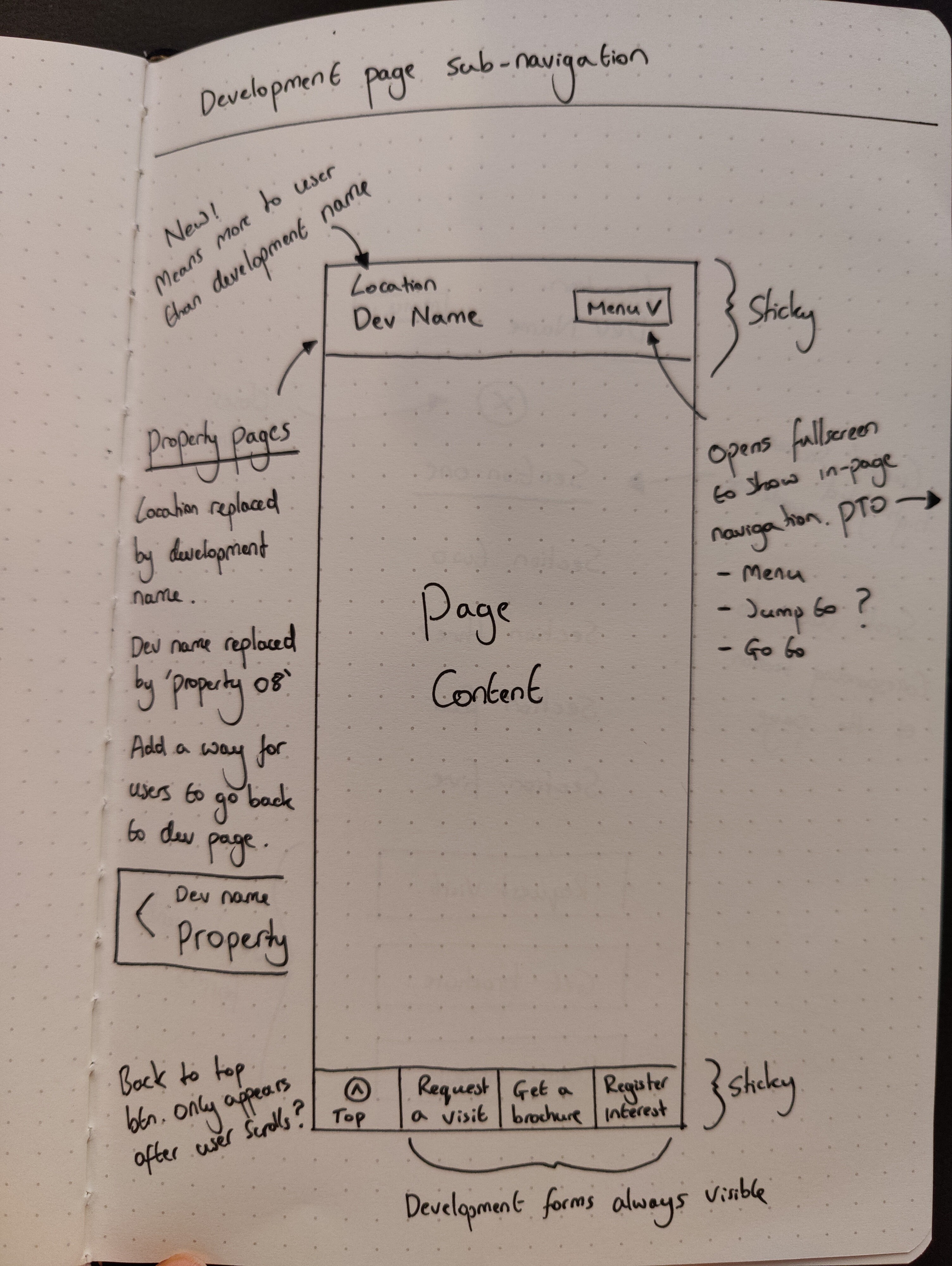
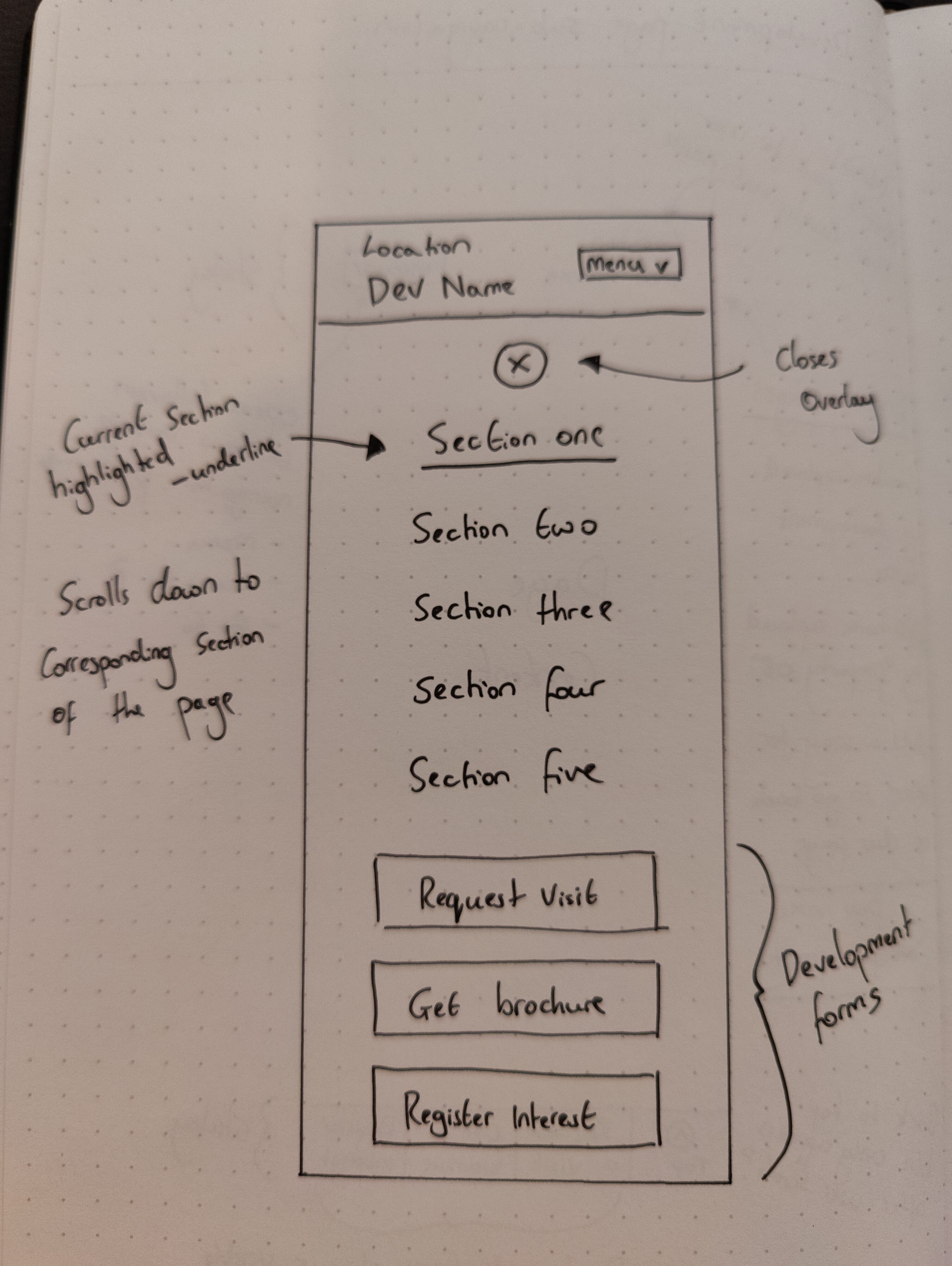
I produced low-fidelity wireframes to:
Explore hierarchy and grouping of navigation items
Guerrilla test how users would switch between sections mid-journey
Validate the balance between visibility and restraint
I wanted to show how the CTAs and sub-navigation menu stayed visible to the user at all times and how easy navigating in a fullscreen layout was by taking away the distractions of the content heavy pages. The focus at this stage was clarity and flow rather than visual polish.
Design
Key Design Decisions
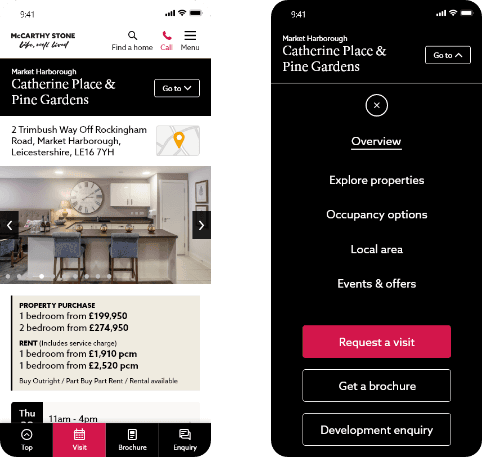
Sticky Bottom Navigation
Anchored to the bottom of the screen
Always accessible, even when scrolling
Prioritised the most common mobile tasks
Expandable Full-Screen Menu
Reduced visual clutter on content pages
Allowed users to browse secondary content without distraction
Maintained orientation and reduced backtracking
Contextual Awareness
Navigation adapted subtly based on where users were in the journey
Encouraged forward movement without forcing decisions
Reflections
Impact
A month after deployment, mobile sub-navigation interactions increased by 58% and form visits increased by 52%.