Personal Project
Designing a Lightweight Multiplayer Stats Tracker for Casual Competitive Play
Mobile Product Design
UX/UI Design
Prototyping
Data Visualisation
No-Code / Vibe Coded
Personal Project
A lightweight mobile web app designed to track fixtures, results, and individual player stats for casual FIFA tournaments — built for one night, used by multiple users, and shipped end-to-end using Figma, AI tooling, and Supabase.


Role
Product Designer
Team
1 Product Designer
Tools
Figma
Figma Make
Overview
Problem
A group of friends in our 30s wanted to revive a tradition of playing FIFA together which is something we used to do regularly years ago.
The problem wasn’t the game itself, but the lack of structure and stakes. We wanted the evening to feel competitive without becoming overly serious, and none of the existing apps we found quite fit what we needed.
Most tools were either:
Too rigid (traditional formats only)
Too team-focused (no individual stats in 2v2)
Didn't have enough statistics to generate storylines
Or required account creation and setup friction
I decided to design and build a tool that fit exactly how we wanted to play.
Goals & Constraints
This project had very clear, opinionated requirements:
Support 1v1 and 2v2 formats
Track individual player stats, even in team games
Allow any number of players (six for this event)
Automatically generate fixtures
Control how many matches each player would play
Track stats beyond a traditional league table, including:
Most / least goals
Wins
Goals conceded
Recent form (last 3 games)
Add optional tracking for team star ratings to surface the RNG element
Be mobile-first only
Require zero account setup for players
Be quick to set up on the night
Focus on functionality over form
Design
Designing the Experience
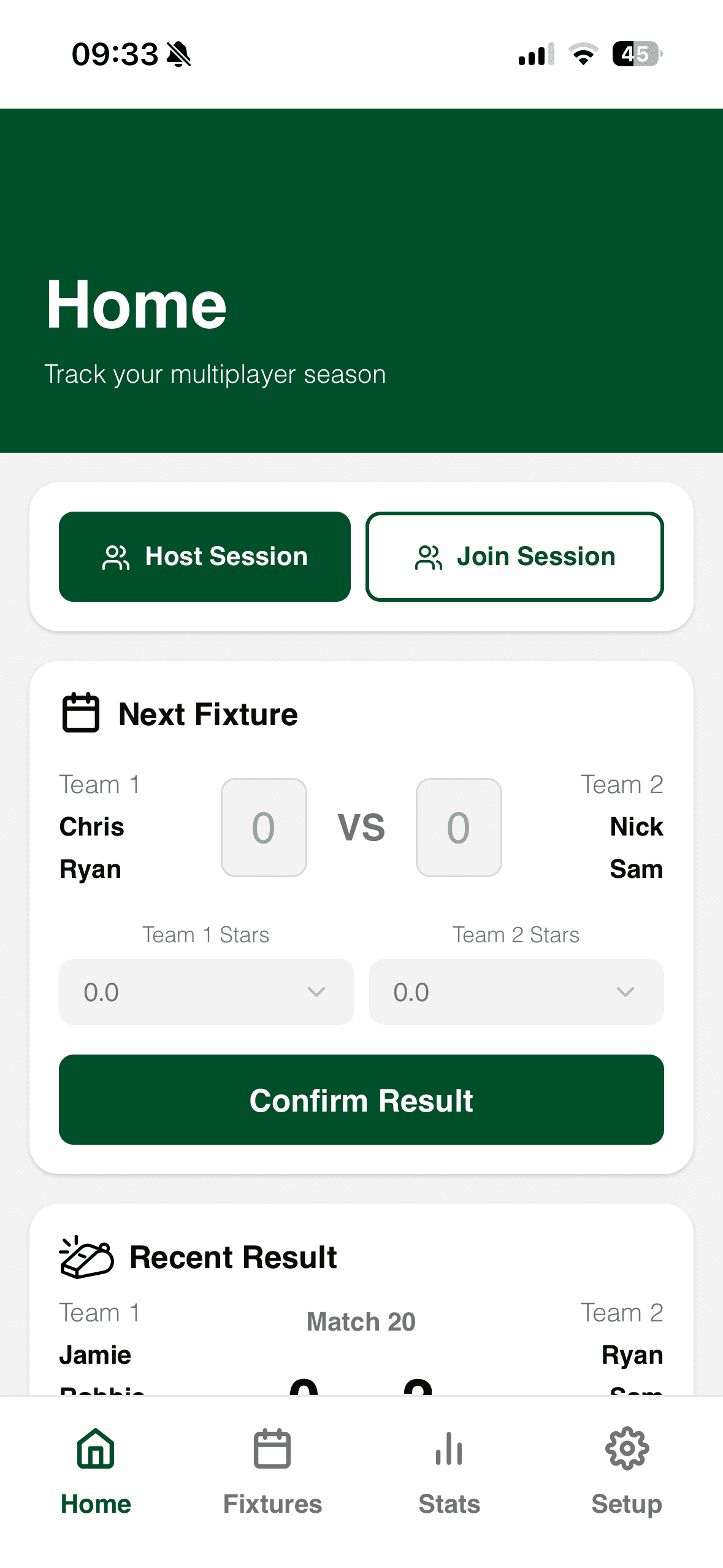
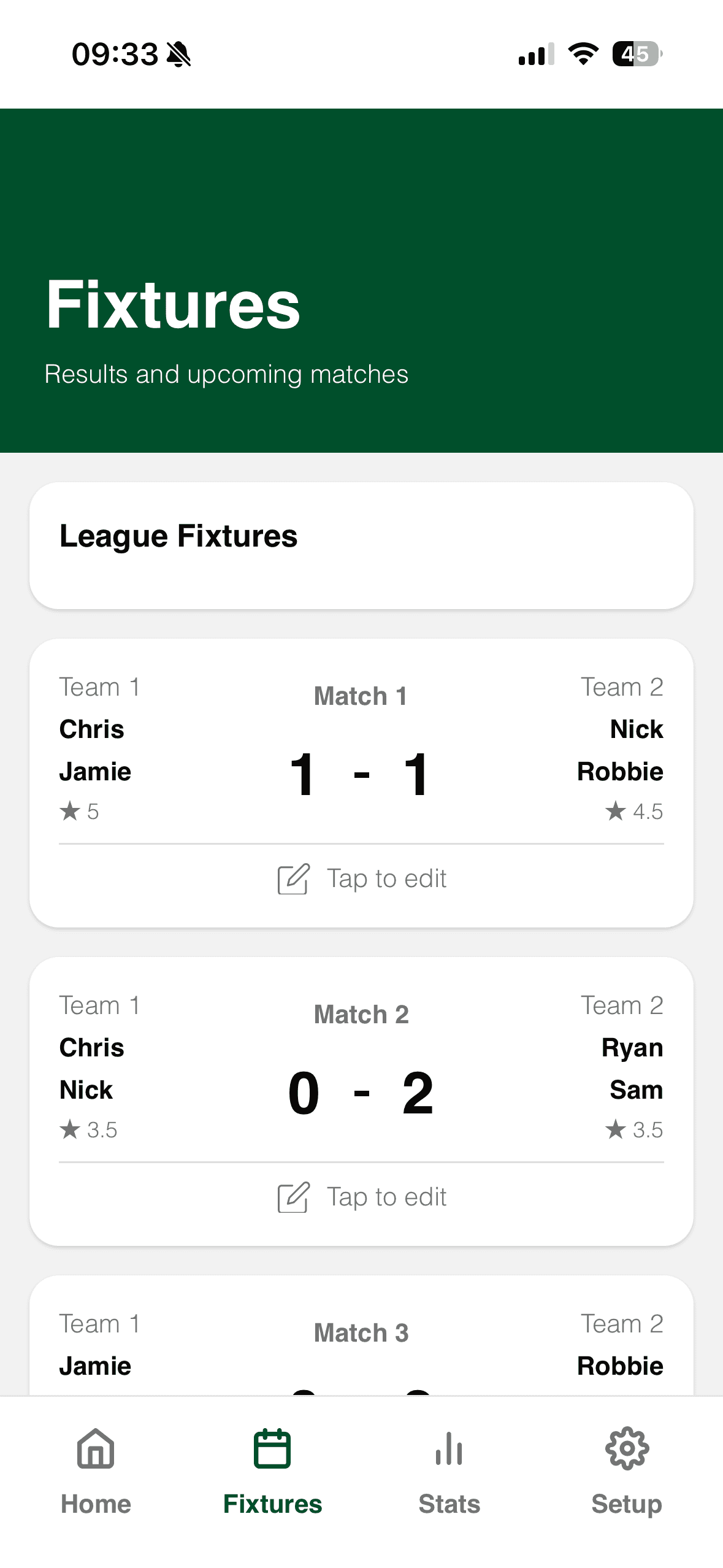
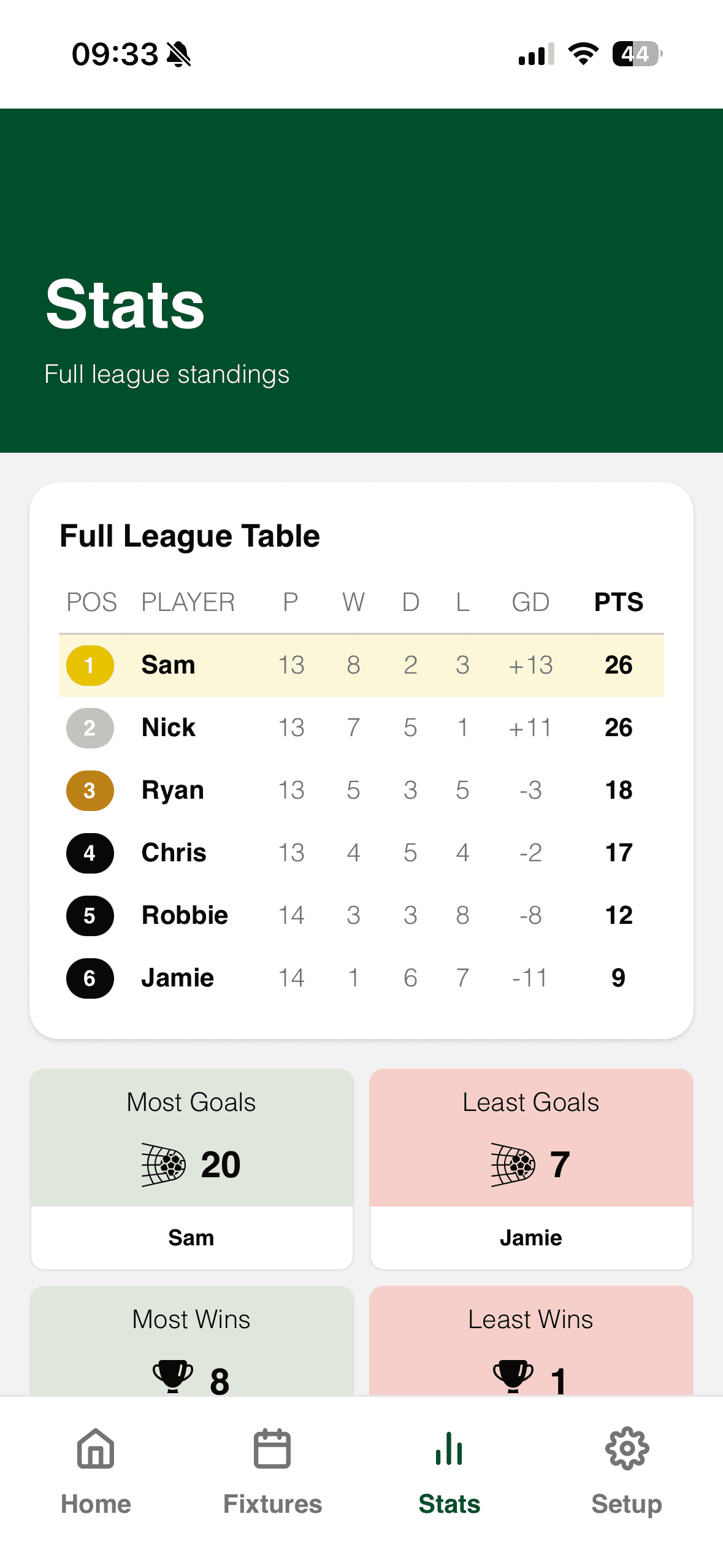
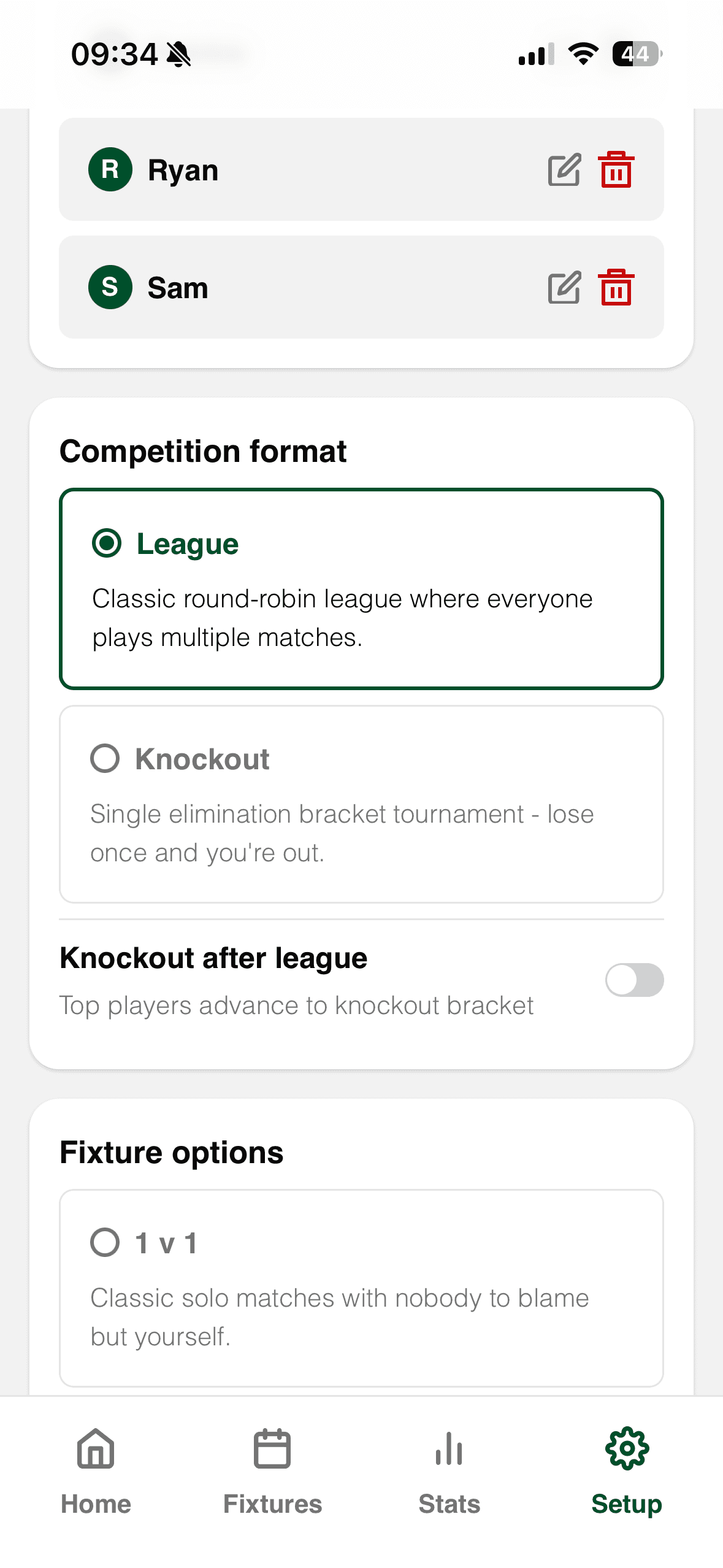
I started by designing the app in Figma, focussing on a small number of core screens:
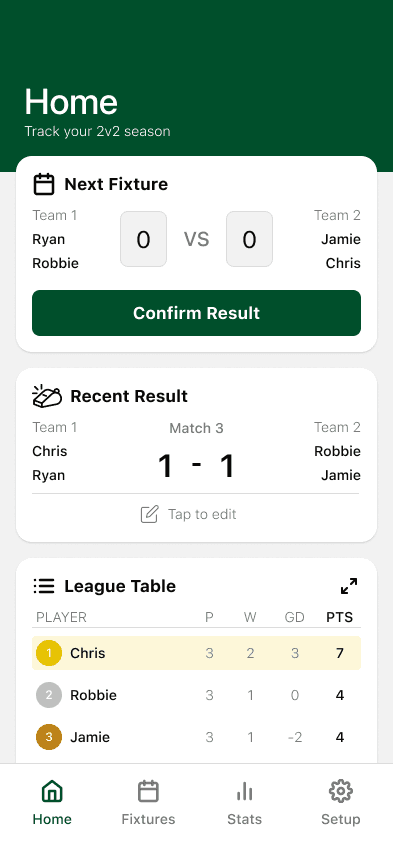
Home
Next fixture, recent result, quick access.
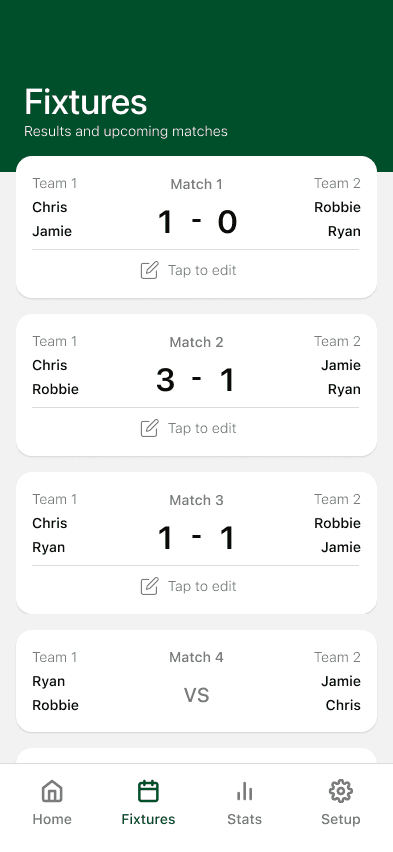
Fixtures
Past and upcoming matches.
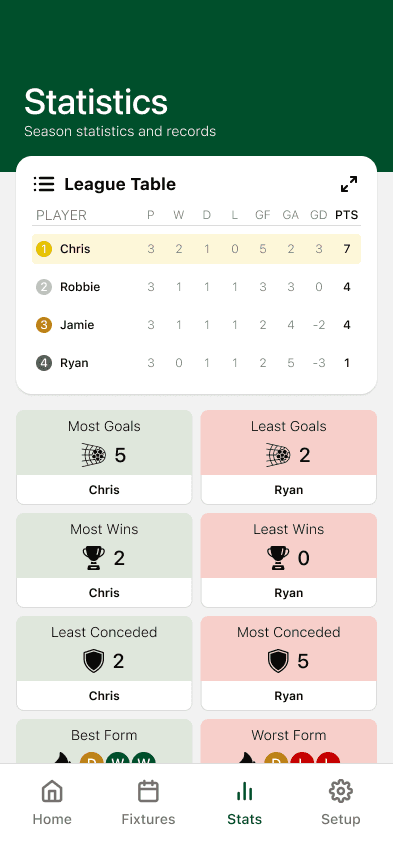
Stats
League table plus callout-style highlights.
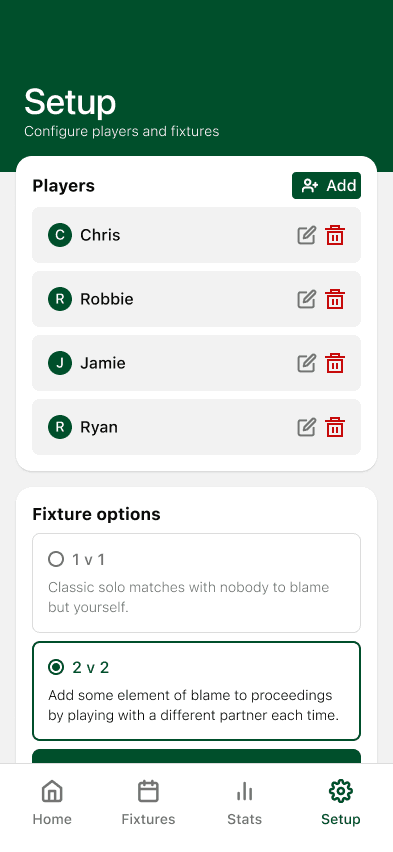
Setup
Players, match format, fixtures and options.
The interface was intentionally:
Calm and readable
Optimised for quick glances between matches
Designed for one-handed use
Focused on clarity over visual flair
Because the app would only ever be used on phones, I didn’t design responsive breakpoints — a deliberate constraint that kept the scope tight.
Progressive disclosure for deeper stat analysis
Rather than relying solely on a traditional table, I designed stat callouts to surface interesting narratives quickly like who’s on form, who’s struggling, and who can’t blame the star ratings anymore.
To keep the main stats view lightweight while still supporting deeper comparison, the stat callouts were designed to be fully interactive.
Tapping a stat (such as most goals or wins) opens a drawer-style modal showing a full breakdown of each player’s performance against every other player. This allowed more detailed analysis without overwhelming the primary screen.
This pattern made it easy to:
Surface key talking points at a glance
Dive into detail only when needed
Keep the core experience fast and readable during play
It also reflected how the app was actually used on the night with quick checks between matches, with occasional deeper dives when debates inevitably started.
Adding randomness without excuses
One important nuance was the team star rating system.
In FIFA, teams are often randomised, and historically this became an excuse for poor performance. To keep the game fun and fair, I added the ability to log star ratings per match and surface them as a stat.
This allowed us to:
Preserve the randomness
Keep the experience casual
Remove ambiguity when discussing results
It became one of the most talked-about features on the night.
Product Development
From Design to Working Product
Once the designs were complete, I used Figma Make to generate the initial codebase for the app.
Because this was a personal project with a very small audience, it meant I could:
Host it as a mobile web app
Run it on my home server
Deploy it via a Docker container
This allowed anyone connected to my home network to access the app instantly.
Multiplayer sessions without accounts
I wanted users to be able to enter a session on the app as a spectator similar to the golfing app VPAR. To achieve this I took inspiration from apps Jackbox, where:
One person hosts
Others join using a simple code
No accounts are required
I implemented a similar pattern:
The host creates a session
A short join code is generated
Other players join as spectators
Only the host can configure fixtures or enter results
The backend functionality for sessions and data persistence was handled using Supabase, integrated through Figma Make.
Reflections
Outcome
The app worked flawlessly on the night.
Fixtures generated correctly
Stats updated in real time
Players immediately understood how to use it
The star-rating tracking sparked constant debate (exactly as intended)
Most importantly, it elevated the entire experience by turning a casual gaming night into something memorable, competitive, and repeatable.
Several people asked if they could reuse it for future sessions.